
Features / Private by design
Private by design
Your household's money plan, and nobody else's business
A money plan is about as personal as data gets. Here's plainly what Payday Plan keeps, where it keeps it, and what it doesn't do.
What's stored
Your household's plan: bills and their amounts, what you've ticked and when, pockets, paychecks, debts, goals, and who in the household changed what. Plus the email addresses you sign in with and your notification settings.
What it doesn't store:
- Your bank password. Ever. If you connect a bank, you sign in on SimpleFIN's site, not ours.
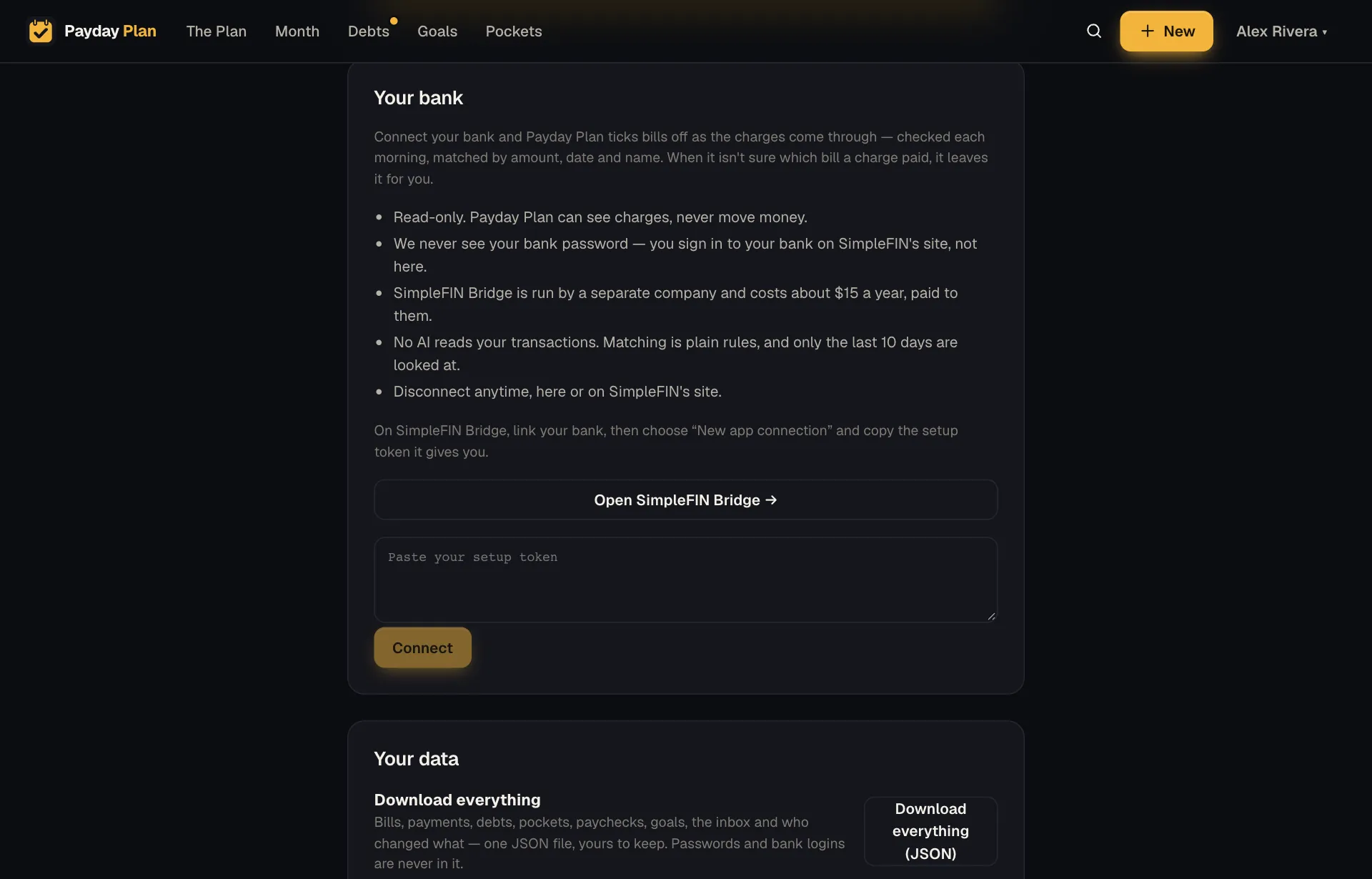
- Your transaction history. CSV imports are read once and discarded. The optional bank connection looks at the last 10 days of charges to tick bills, not to build a record of your spending.
Where it lives
The plan is stored on a Media Lion Cloud server in Atlanta, Georgia, with encrypted backups taken every hour.
What we don't do
- No ads.
- No selling your data.
- No AI unless it's switched on. Everyday sentences you type are read by Payday Plan's own built-in reader, on our server, with no AI involved. Bill emails you forward are read the same way. Claude, from Anthropic, is only used for photos and PDFs of bills, or sentences the built-in reader can't place, and only if it's switched on. Every review tells you which one read it.
- No AI reads your bank transactions. Matching charges to bills is plain rules.
Bank access, only if you want it
Payday Plan works without any bank connection. If you choose to connect, it's read-only, through SimpleFIN Bridge, a separate company. Payday Plan can see charges and can never move money.
The access SimpleFIN gives Payday Plan is stored encrypted and is only ever used to talk to SimpleFIN. You can disconnect any time, from Settings or from SimpleFIN's site.
Signing in without a password
You can sign in with a link sent to your email, so there's no password to reuse, forget or leak. If you'd rather have a password, you can set one. It's optional.
Each adult in the household signs in with their own email, so the Activity log and ticks can say who did what.
Forwarded bill emails
Bills you forward to bills@paydayplan.app are only accepted from the addresses your household signs in with. Mail that fails the standard checks for forged senders is refused. Nothing from an email changes your plan until someone in your household reviews it and says yes.
The calendar link
The private calendar link shows your due dates and paydays to whatever calendar you add it to. It's read-only, and you can switch it off or replace it with a new link any time, which stops the old one working.
Try it: Settings → Your data → Download. That one file is your household's whole plan.
Take it with you, or have it deleted
- Export anytime. In Settings, under Your data, press Download everything (JSON) for the whole plan in one file, or download your bills, payments or debts as spreadsheets (CSV). No request, no waiting. Passwords, sign-in tokens and bank access never go into an export.
- Delete it yourself. The household's owner can press Delete this household in the same section and type the household's name to confirm. Everything goes at once: bills, payments, debts, goals, pockets, both people's accounts and their sign-ins. It can't be undone. If you connected a bank, remove Payday Plan on SimpleFIN's site too.
- Or ask us. Email hello@paydayplan.app from an address in your household and we'll do it for you.
A planning tool, not a bank
Payday Plan doesn't hold money, move money or give financial advice. It keeps your household's plan in one place where both of you can see it. That's the whole job, and it doesn't need anything more from you than the plan itself.
Your next payday could come with a plan.
Payday Plan is opening to households a few at a time. Ask for a spot, or sign in if you’re already in.