
One plan, two people: who ticks what, and how not to fight about it
Most money arguments between couples are about not knowing, not about money. A practical setup for sharing one household plan without stepping on each other.
Couples rarely fight about the electric bill. They fight about whether it was paid. About the $140 that went somewhere neither of them remembers. About one person feeling like they carry all the money worry while the other one doesn't seem to think about it at all.
Those are fights about information, not values. Who knows what, who did what, and who's supposed to notice. Fix the information, and a surprising number of the arguments go away by themselves.
The default arrangement, and why it strains
In many households, one person ends up as the money person. They pay the bills, know the balances, notice the problems. The other is told when something's wrong.
It works, sort of. But it puts a constant low-level weight on one person, and leaves the other with no real picture, so every question sounds like an audit and every answer sounds defensive. If the money person is ill or away, nobody knows what's due.
The aim isn't for both of you to do everything. It's for both of you to be able to see everything, and to have agreed who does what.
Agree on four things
1. Who pays which bills
Split them by whatever's natural: whose name is on the account, who set it up, or just alternate. Write the split down. The point isn't fairness to the dollar. It's that every bill has exactly one person whose job it is.
2. How you know it's done
A bill isn't paid when someone means to pay it. It's paid when it's marked paid somewhere you can both see. That one habit removes most "did you pay the…?" conversations.
3. What needs a conversation
Pick a number. Any purchase over it gets a quick check with the other person first. $100, $200, whatever suits your income. Below it, no discussion required. This turns a vague sense of "we should talk about big things" into a clear line.
4. What's yours to spend, no questions
Each of you gets an amount of personal money per paycheck. It's equal or proportional, but either way it's genuinely yours, with no explaining. This is often the single most helpful thing a couple can add. It turns the coffees and the hobby supplies from shared-budget debates into nobody's business.
A worked example
A made-up household. One partner takes home $4,000 a month, the other $2,500. Shared costs (housing, bills, groceries, childcare, debt payments) come to $5,000.
There are two common ways to split this.
Proportional. Each pays the same share of their income toward shared costs.
| Take-home | Share | Toward shared costs | Left | |
|---|---|---|---|---|
| Partner 1 | $4,000 | 61.5% | $3,077 | $923 |
| Partner 2 | $2,500 | 38.5% | $1,923 | $577 |
| Total | $6,500 | $5,000 | $1,500 |
Fully pooled. Everything goes into one plan. From the $1,500 left over, they agree $600 goes to savings and each person gets $450 of personal money a month.
Neither is more correct. Proportional suits couples who want some financial independence. Pooled suits couples who think of it all as one household's money. What matters is that you choose, out loud, instead of drifting into an arrangement one of you resents.
Then the jobs:
| Job | Who |
|---|---|
| Rent, utilities, internet | Partner 1 |
| Childcare, phone, subscriptions | Partner 2 |
| Credit card payments | Partner 1 |
| Weekly look at the plan | Both, Sunday evening, ten minutes |
| Check before spending over $150 | Both |
| What happens to a freed payment | Both |
Decide the big moments together
Some decisions shouldn't be made by whoever happens to be looking. The month a debt is paid off is the clearest example: its payment is suddenly free, and the choice of where it goes is one of the largest money decisions you'll make all year. The end of a 0% promotion is another. So is changing a savings goal.
Agree that those are joint decisions, and that neither of you acts on them alone.
Step by step
Do it in Payday Plan
Payday Plan is built for two adults sharing one plan. Here's how to set it up so both of you see the same thing.
Add your partner. The owner (whoever set up the household) opens Settings: on a computer, click your name at the top right; on a phone, tap More in the bottom bar. Under People in your household, tap Add your partner, type their Name and Email, and tap Add. They get an email with a sign-in link, with no password to set up.
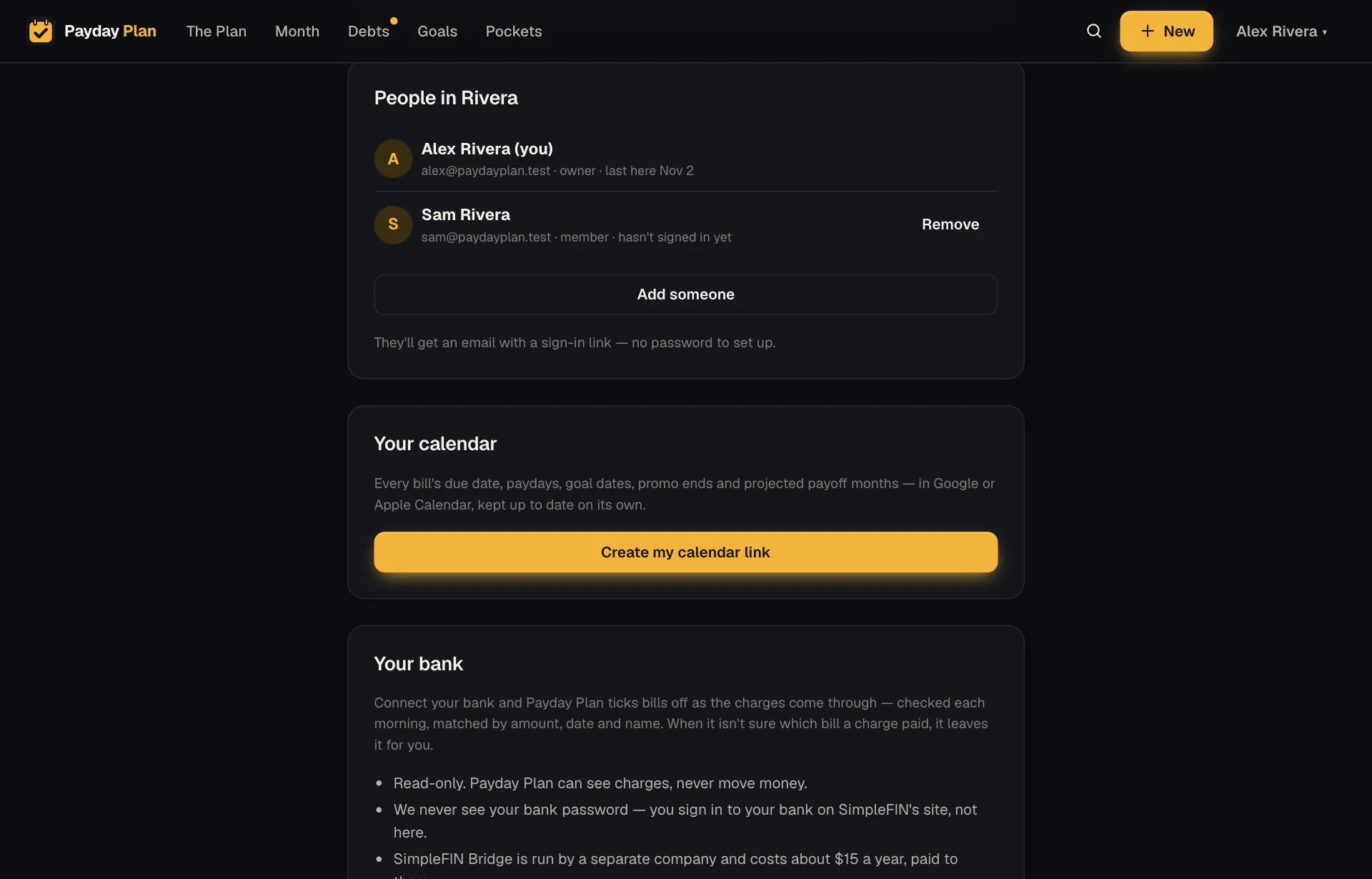
People in your household. Once a partner is added, the button reads Add someone. Tick bills where you both can see. Open Month. Tap the circle beside a bill to mark it paid (on a phone you can also swipe the bill right). The row then says who paid it and when. Tap the circle again to undo a tick.
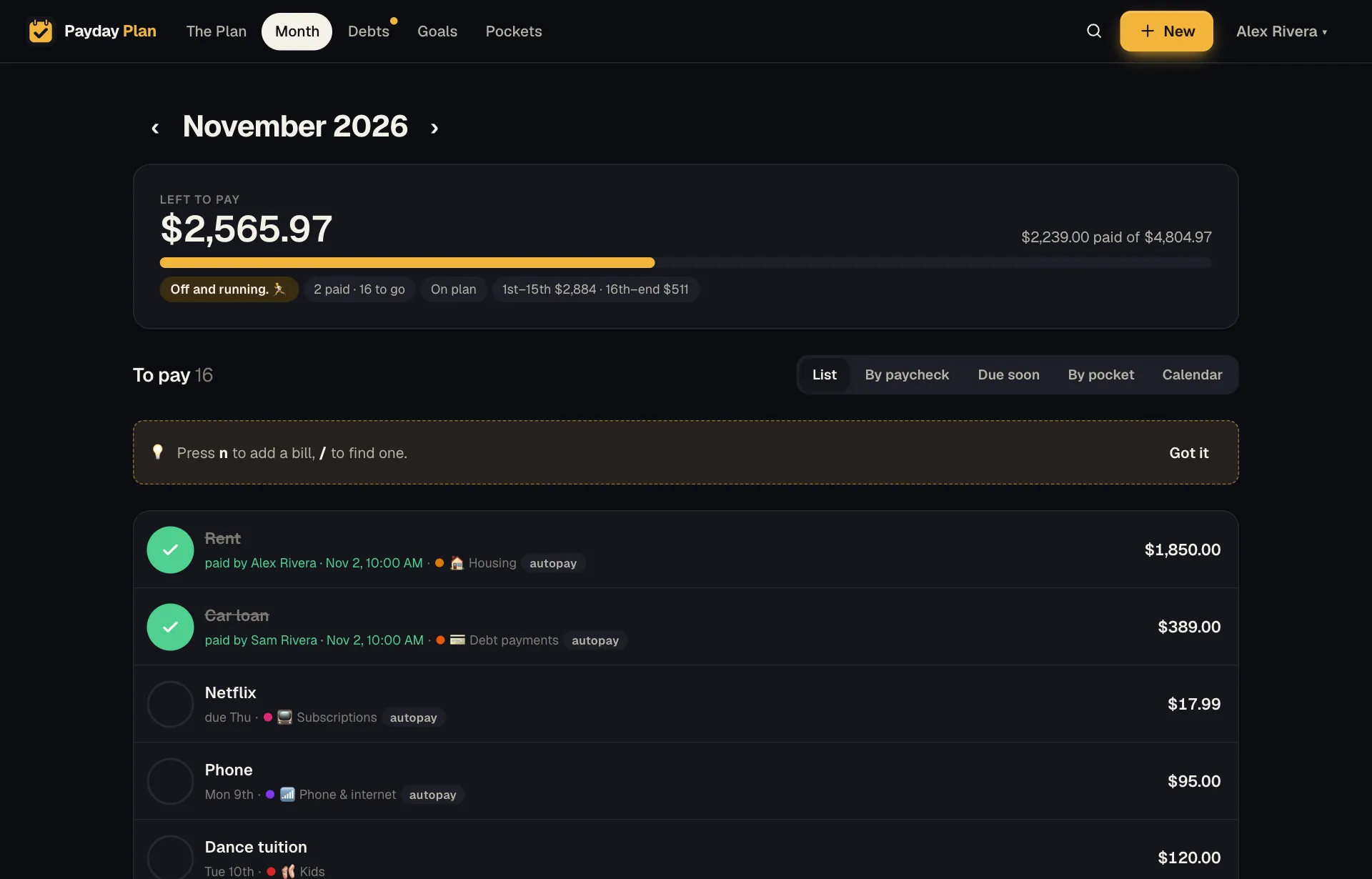
Each paid bill says who ticked it: Alex paid the rent, Sam paid the car loan. Turn on the partner ping. In Settings, under On your phone, tap Turn on next to Notifications on this device, then tick When someone else in the household pays or changes something. A burst of ticks arrives as one notification ("Partner paid Netflix, Electric and Water") rather than a stream. Each of you does this on your own phone.
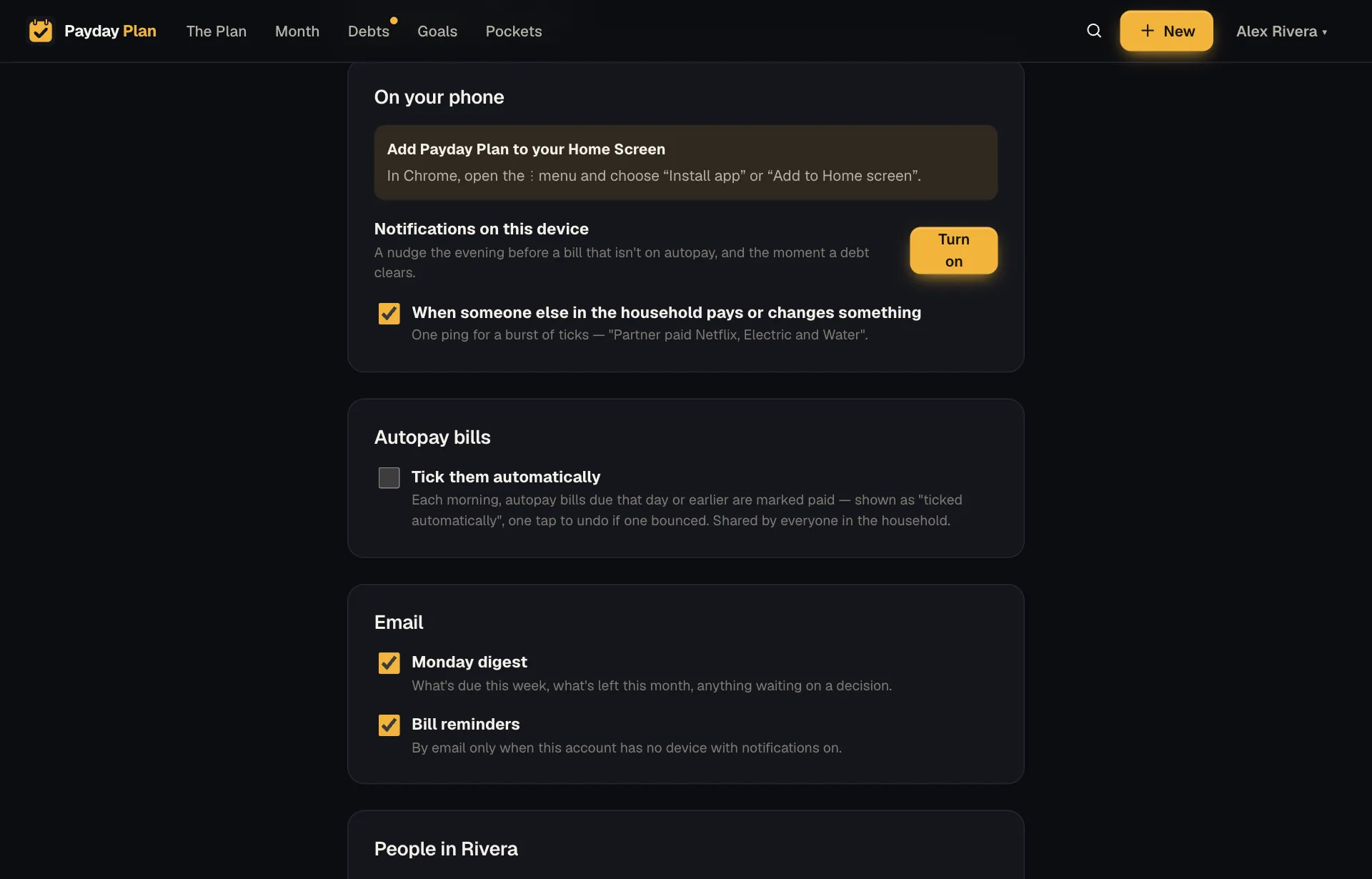
The partner ping is the ticked box under Notifications on this device. Tick them automatically, for autopay bills, is just below. Let autopay bills tick themselves (optional). Under Autopay bills, tick Tick them automatically. Each morning, autopay bills due that day or earlier are marked paid and shown as "ticked automatically", so a bounced one is easy to spot and one tap undoes it. This setting is shared by everyone in the household.
Do the weekly look on Due soon. On Month, choose Due soon. Bills are grouped into Past due date, This week and Later this month, which is exactly the ten-minute Sunday conversation. If you'd rather have it in your inbox, Monday digest under Email in Settings sends what's due this week and anything waiting on a decision.
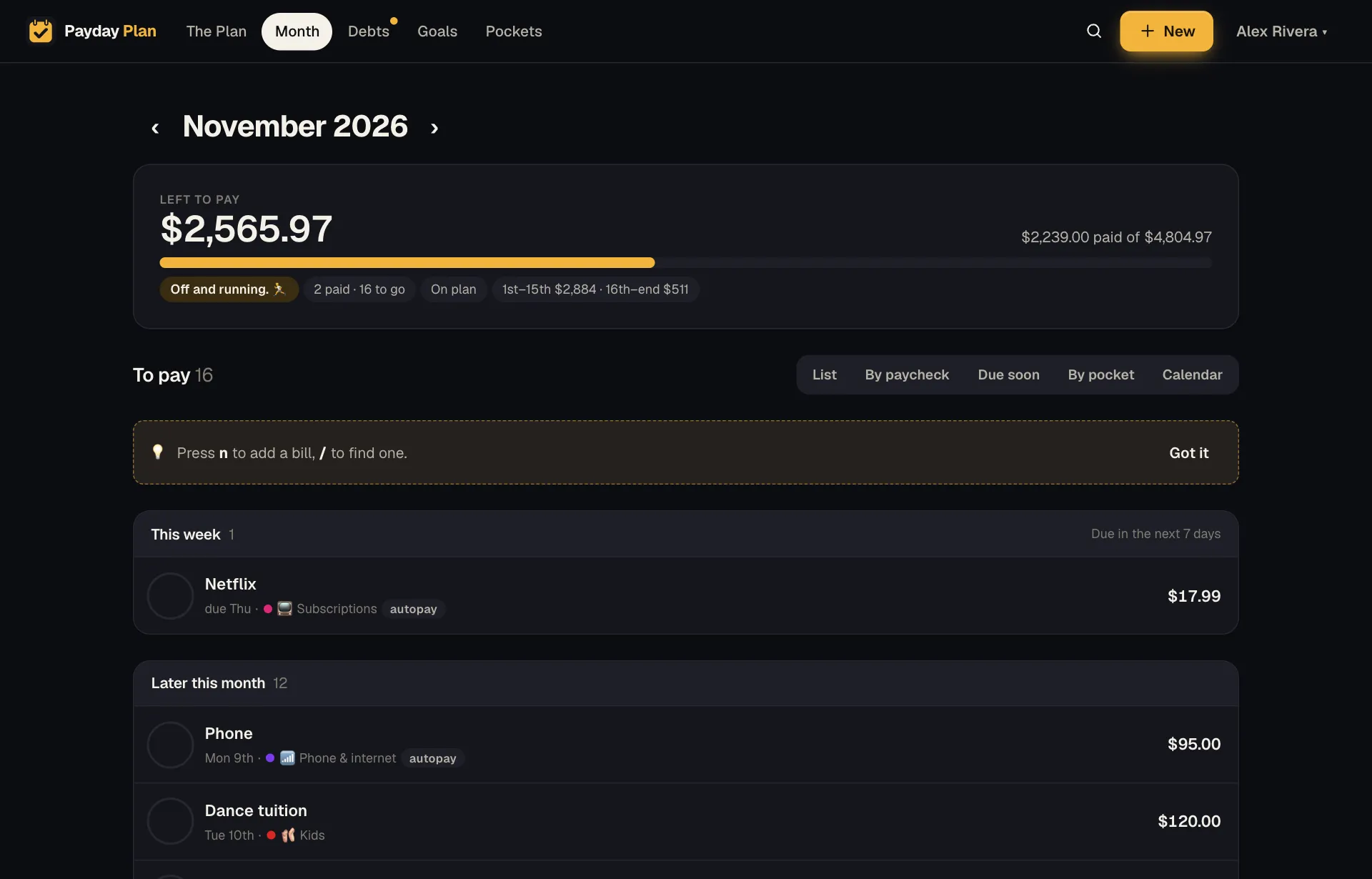
Due soon: what needs paying this week, then the rest of the month. Decide the big moments together. When a debt is paid off, the card at the top of The Plan says so ("Furniture plan (0%) is paid off, $350/mo is free") with a Decide now button, and it appears for both of you. Promotion-end emails go to both adults too. To see who changed what, open Activity from the same menu as Settings.
Pages refresh quietly when you come back to them, so the other person's ticks simply appear.
When it still goes wrong
It will, sometimes. A bill gets missed, or someone buys something over the line without checking. When it happens:
- Fix the system, not the person. Was the bill unassigned? Was the line unclear? Adjust the agreement.
- Separate the money from the feeling. "We're $200 short this month" is a problem with a solution. "You always…" is a different conversation, and rarely a useful one.
- Look at the plan together, not at each other's bank statements.
This guide is general information about planning a household budget, not personal financial advice. Your numbers, rates and situation are your own — check the terms of your accounts before you act.
Keep reading
More guides
Plan the month by paycheck, not by calendar
Your bills run on the calendar but your money arrives on paydays. Line them up by paycheck and the tight weeks stop being a surprise.
PaychecksThe extra paychecks: what to do with a three-paycheck month
Paid every other week? Twice a year, a month brings a third paycheck. Here's how to spot those months now and give that money a job.
BillsForward the bill, skip the typing: emailed bills, set up properly
Most bills already arrive by email. Forward them to bills@paydayplan.app, or set a filter once, and this month's amounts wait for a yes.
Your next payday could come with a plan.
Payday Plan is opening to households a few at a time. Ask for a spot, or sign in if you’re already in.