
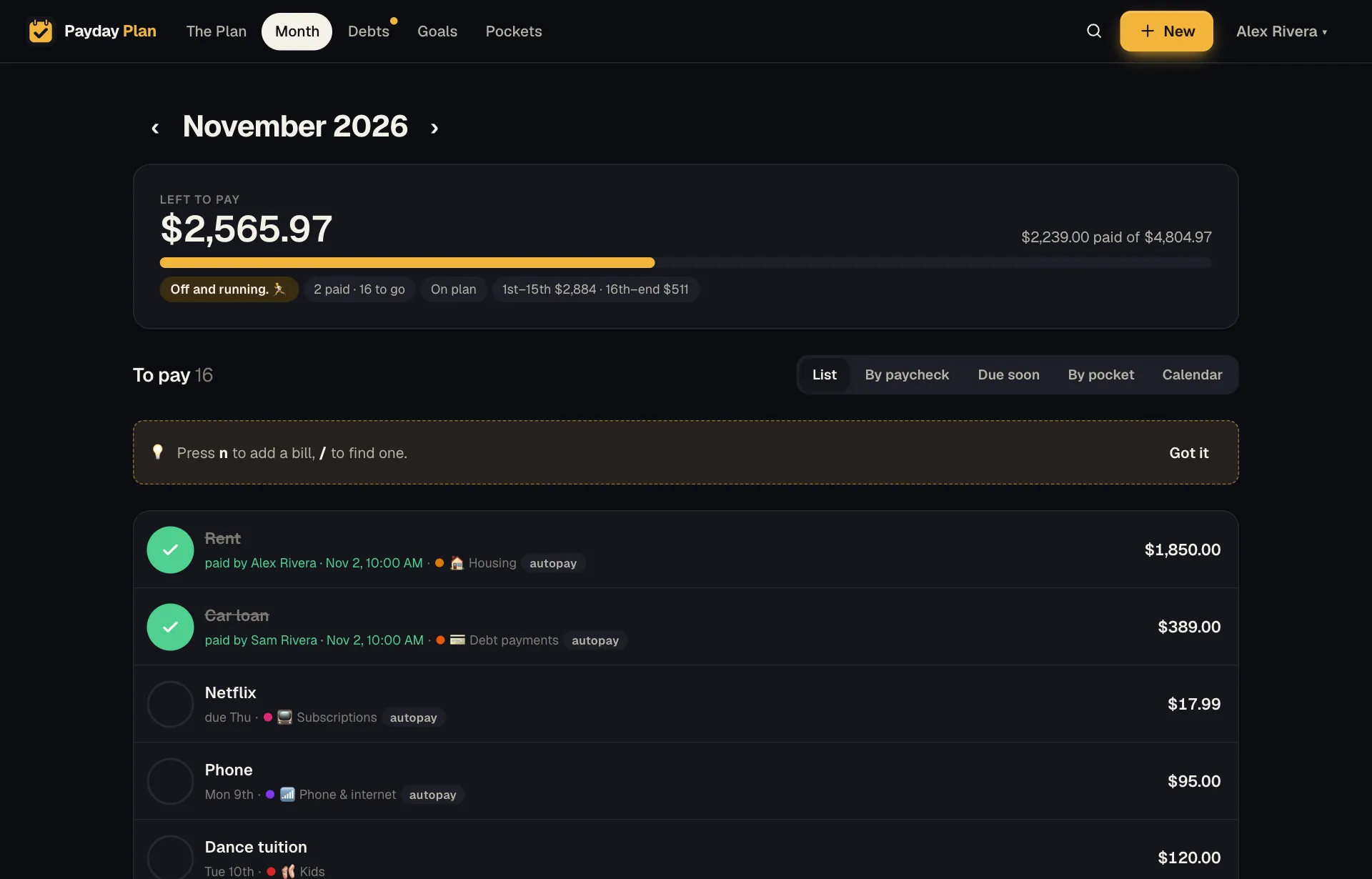
The Month page is where your household's bills live. It answers the questions you actually ask on a Tuesday night: what's due, what's paid, and which paycheck is covering it.
Five ways to see the same month
Same bills, different questions. Switch between them whenever you like.
- List. Every bill by due date. Paid ones stay where they are, so the month reads top to bottom.
- By paycheck. Which deposit each bill comes out of, and what's left from each one.
- Due soon. Past due, this week, later, and any time.
- By pocket. Bills grouped by the pocket that pays them, so you can see what the mortgage pocket or the utilities pocket is carrying.
- Calendar. A cash-flow calendar: paydays and bills laid out by day, with a running balance that starts from what's in the account on the 1st. It also points out the month's lowest point, so you know in advance which Thursday is going to be tight.
Tick it, and see who did
When a bill goes out, tick it. On a phone you can swipe it right instead, and a small vibration confirms it. Paying a bill should feel like something, so it does: confetti out of the check, a quick glow across the row, and a card in the corner with the month's bar filling up another notch, plus an Undo in case your thumb slipped.
The card notices how far along you are. The first tick of the month, crossing halfway, and the last bill left each get their own line. Tick the last one and the whole screen gets a trophy: every bill for the month, paid.
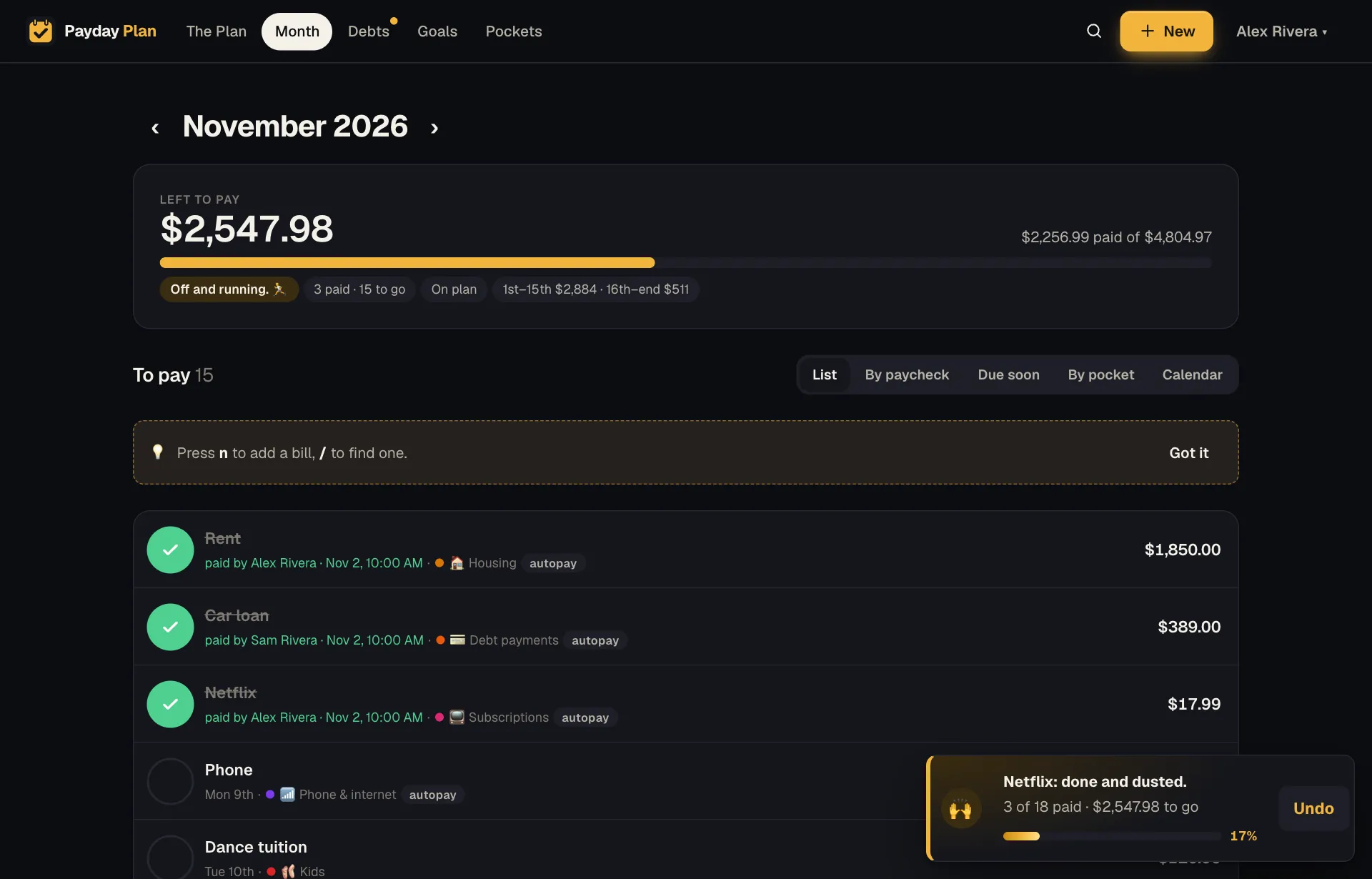
Each paid bill says who ticked it. If you share the plan with a partner, you'll stop asking "did you pay the water?"
If you have a lot of autopay bills, a bar appears when some have come due and aren't ticked yet. Mark all paid ✓ ticks every one of them in a single tap.
Tap a bill for its story
Tap any bill to see its last 12 months. If it went up, it's flagged. That's how you notice the internet bill crept from $65 to $80 without anyone mentioning it. (Example numbers, but you know the feeling.)
Bills that don't fit the monthly mold
Real households have odd bills. Payday Plan handles them:
- Every 2, 3, 4, 6 or 12 months, from a starting month. Water every other month, car insurance twice a year, the warehouse club membership once.
- One-time bills, like a dentist balance or a school trip.
- Skip this month. Dance is off for the holidays? Skip it for one month. It drops out of that month's totals and comes back the next.
Try it: Swipe the Month page sideways on your phone to look at next month, or pull down to refresh.
The month-end recap
When a month is over, it links to a recap. Go back to that month on the Month page and you'll find a How did October 2026 go? link (with your month's name), and for the first week of the new month there's a banner on The Plan too. You'll see:
- By pocket: planned vs actual. Where the month went the way you said it would, and where it didn't.
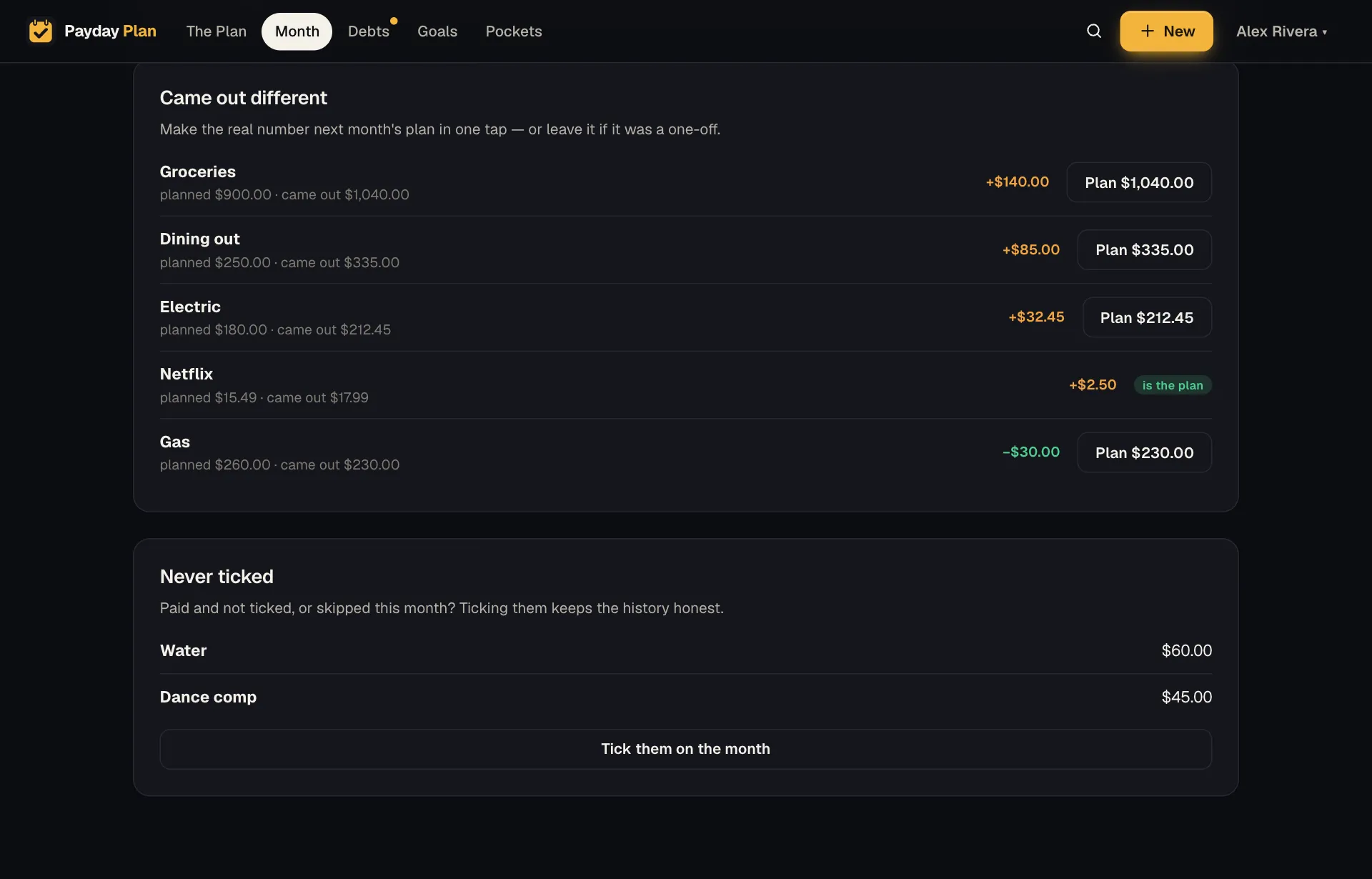
- Came out different. The electric bill you planned at $180 that came in at $212.45, say. One tap on Plan $212.45 makes the real number next month's plan, so your estimates stop being wishful.
- Never ticked. Either it didn't go out, or someone forgot to tick it. Worth a look either way. Tick them on the month takes you back to fix it.
Past months keep their own plan. If you raise a bill's planned amount in March, February's numbers don't change. History stays history.
On a phone
The Month page is built to be used one-handed in a parking lot. Swipe to tick, swipe sideways for another month, pull down to refresh. If your partner ticked something while you were away, it's already there when you come back to the page.
Guides
Guides that use it
Estimates to actuals: make your plan honest in three months
Every new budget is built on guesses. Here's a simple routine for replacing them with real numbers, so the plan stops being quietly optimistic.
Getting startedThe 20-minute month-end recap (and the three questions it answers)
A month is only useful if you learn something from it. A short, repeatable review that turns last month's surprises into next month's plan.
PaychecksPlan the month by paycheck, not by calendar
Your bills run on the calendar but your money arrives on paydays. Line them up by paycheck and the tight weeks stop being a surprise.
Your next payday could come with a plan.
Payday Plan is opening to households a few at a time. Ask for a spot, or sign in if you’re already in.