
A 0% balance transfer is one of the few genuinely good deals in consumer credit. For a year or more, your payments go entirely to the balance. No interest nibbling at every dollar.
Then the date passes, the rate jumps to something with a 2 in front of it, and whatever's left starts costing real money again. Lots of people find out on the statement after.
The fix is not complicated. It's mostly a matter of treating the promotion as a deadline from day one, and doing one division.
The one number that matters
Balance ÷ months left in the promotion = the monthly payment that clears it in time.
That's it. Not the minimum payment the card asks for. Minimums on promotional balances are often set low, and they aren't designed to clear the balance before the rate changes. If you pay the minimum, you'll very likely have a balance left when the promotion ends.
Work out the number on the day you open the promotion. Then work it out again every few months, because it changes if you miss your target or add to the balance.
A worked example
A made-up household moves $5,000 from a card charging 26.99% onto a new card at 0% for 15 months. There's a 3% transfer fee, so $150, which is added to the balance. After the promotion, any remaining balance reverts to 26.99%.
Starting balance: $5,150. Payment that clears it in 15 months: $5,150 ÷ 15 = $343.33, so call it $344.
They decide $250 a month feels comfortable. Here's where that lands:
| Monthly payment | Left when 0% ends | Interest per month after | |
|---|---|---|---|
| Comfortable | $250 | $1,400 | about $31.49 |
| On target | $344 | $0 | $0 |
That $31.49 is $1,400 × 26.99% ÷ 12. It's not a disaster. But they'd be paying interest again on a balance they moved specifically to avoid interest, and at $250 a month the leftover takes about six more months to clear, with interest every one of them.
Now the more common version: they notice nine months in. The balance is $5,150 − (9 × $250) = $2,900. Six months are left.
New payment needed: $2,900 ÷ 6 = $483.33.
That's nearly double what they're paying and about $140 more than if they'd done the division at the start. The deadline didn't move. The amount of time to meet it did.
Read the small print once
Three things to find in the terms, and write down somewhere you'll see them:
- The exact end date. Not "15 months" but the date. Statement cycles make this fuzzier than it sounds.
- What the rate becomes. That's the rate on whatever is left.
- Whether it's true 0% or deferred interest. Store cards and financing plans sometimes say "no interest if paid in full by" a date. With those, interest builds in the background and can be charged back to the purchase date if any balance remains. That's a cliff with a much bigger drop.
Note: Card terms vary, and this is general information rather than advice for your situation. If you're unsure how a payment is applied or what happens at the end, the card issuer can tell you.
Don't add to it
The quickest way to blow a promotional plan is to keep using the card. New purchases are often charged at the standard rate, and the arithmetic for "balance ÷ months left" stops meaning anything when the balance keeps growing. If the card has to stay open, consider putting it somewhere inconvenient.
What to do if you won't make it
If the numbers say you'll have a balance left over, it's much better to know with six months to go than six days.
- Raise the payment now, even if not to the full target. Every dollar cleared before the cliff is a dollar that never gets charged the higher rate.
- Redirect a freed payment. If another debt or a 0% plan finishes during the promotion, send its payment here.
- Use a windfall. The third paycheck in a biweekly month, a tax refund, a bonus.
- Look at another transfer, carefully. It may be possible, but it means another fee, a new approval that isn't guaranteed, and another deadline. Factor the fee in before it looks like a free extension.
Whatever you decide, decide it with time to spare. The worst version of this is finding out from the statement.
Put the date where you'll see it
A deadline 15 months out is easy to forget. Some practical ways to keep it in view:
- Put the end date on your shared calendar, with reminders at two months, one month and one week.
- Note the target payment next to the debt in whatever you use to plan.
- Check, every few months, whether the balance is where it should be by now. Starting balance − (months gone × target payment) is where you ought to be.
Try it: In Payday Plan, set a debt's APR to 0 and add the promotion's end date. The runway warns you if the balance is going to outlive the promotion, and both adults get an email 60, 30 and 7 days before it reverts. Promo end dates also appear in the private calendar feed you can add to Google or Apple Calendar.
Balance transfer card $5,150 at 0%, $344 a month on the 20th
Step by step
Do it in Payday Plan
The screenshots show a made-up household whose 0% laptop plan has $900 left, a $150 payment, and a promotion that ends Feb 15, 2027.
Add the promotion with its end date. In the Tell Payday Plan what changed box on The Plan, add "until" and the date, then press Go:
Balance transfer card $5,150 at 0% until March 1 2028, $344 a month on the 20th
Check the card it shows you and press Make this change.
Or add the date to a debt you already have. On Debts, click the debt's name. With APR % at 0, the sheet has a field called When does 0% end? (if it reverts). Pick the date from your card terms and press Save. From then on, both adults get emails 60, 30 and 7 days before it.
Look for the warning. If the balance will still be there on the end date at the current payment, the debt's row on Debts says so in orange, with the date. The same warning goes to the top of the list on The Plan, marked red, with a See the payoff plan button.
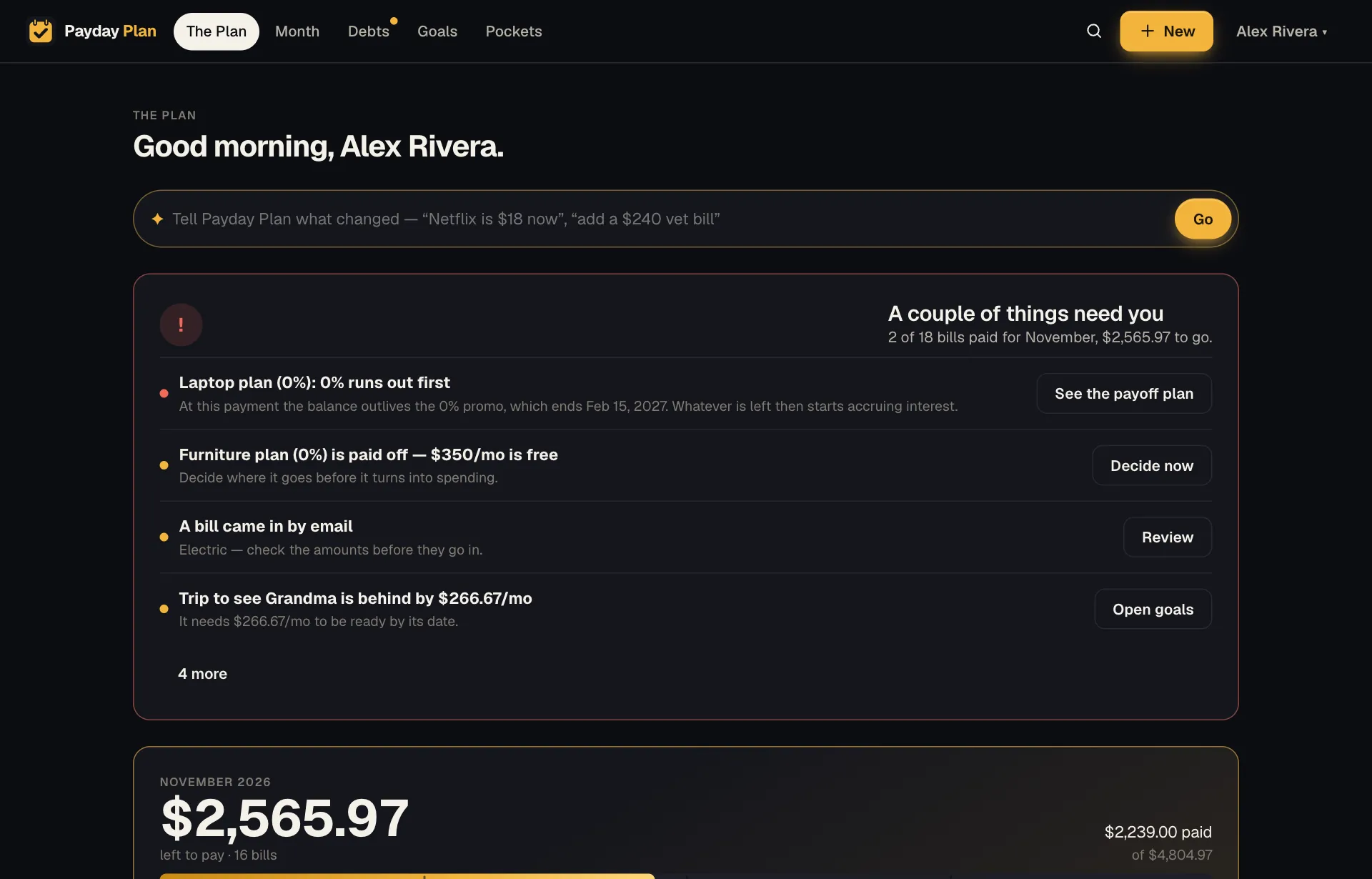
Money at risk goes first. Here the laptop plan’s promo ends before the balance does. Do the division and raise the payment. Balance ÷ payments left before the end date. In the screenshots, $900 with about four payments to go needs roughly $225 a month, not $150. On Debts, click the debt's name, change Monthly payment, and press Save. Then on Month, tap the debt's bill, choose Edit bill, and change its Amount to match, and raise the payment with the card issuer too.
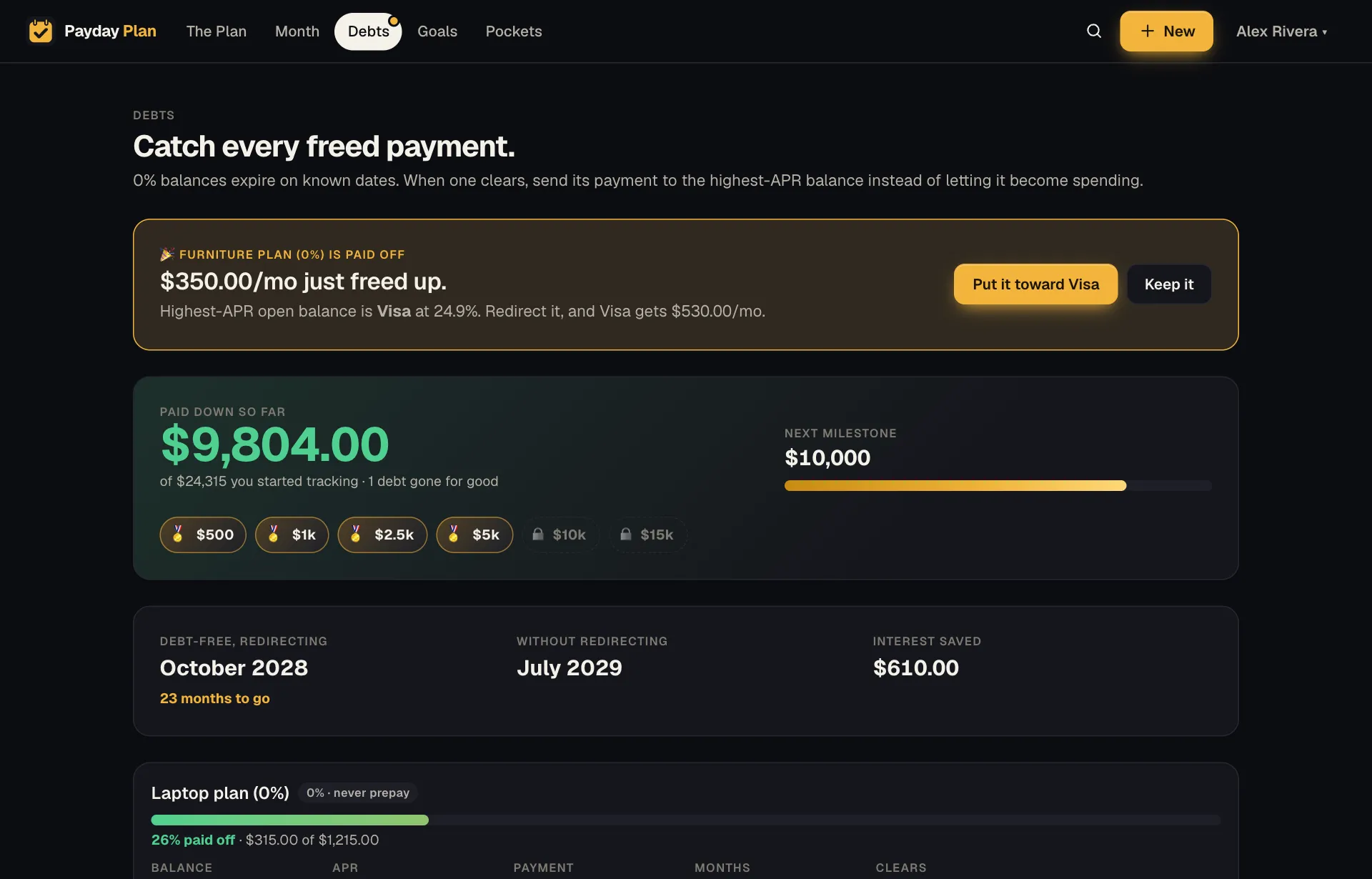
Six months to clear at $150, but the promo ends in about four. Once the payment covers it, the orange line goes away. Put the date on your calendar. Open your name menu at the top right (on a phone, More) and choose Settings. Under Your calendar, press Create my calendar link, then add it to Apple or Google Calendar. Promo end dates appear alongside bills and paydays, and stay up to date on their own.
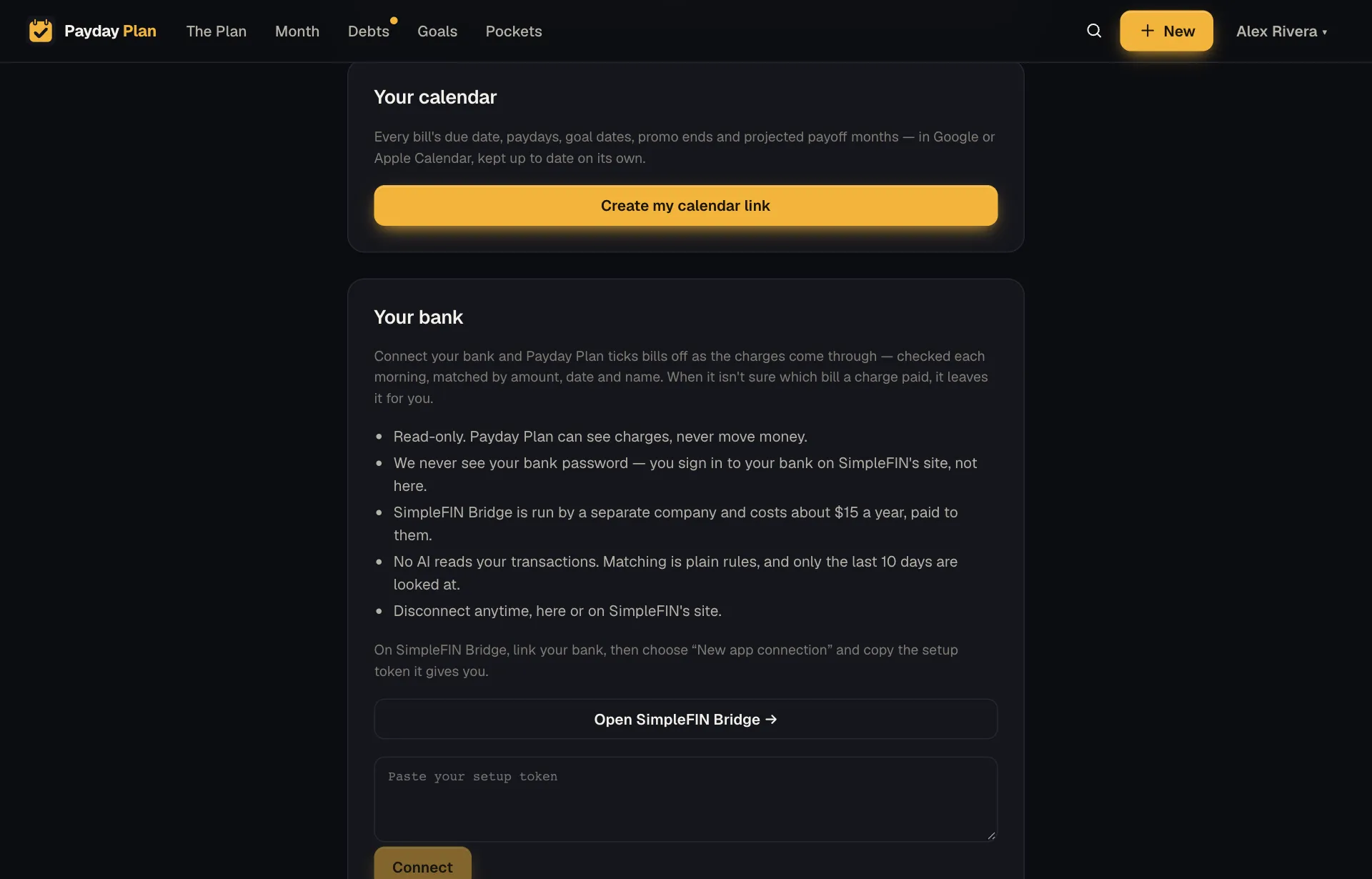
One link covers every date in the plan, promo endings included.
Why it's worth the effort
A balance transfer only saves you money if the balance is gone, or nearly gone, before the rate comes back. The fee is paid upfront either way. Run the promotion to the deadline with a balance left and you've paid a fee to delay your interest rather than avoid it.
Run it well, and it's one of the cheapest ways there is to clear a card.
This guide is general information about planning a household budget, not personal financial advice. Your numbers, rates and situation are your own — check the terms of your accounts before you act.
Keep reading
More guides
The freed-payment rule: what to do the month a debt is paid off
When a loan ends, its payment doesn't vanish. It turns into spending unless you decide otherwise. Here's how to decide, and why the timing matters.
DebtWhy you should never prepay a 0% plan, and what to do instead
Paying off interest-free money early feels responsible but buys nothing. Where the extra should go instead, and the one kind of 0% deal that needs care.
DebtAvalanche, snowball, or cascade? Ordering debts when one ends
People argue about which debt to pay first. The bigger win is what happens to each payment when a debt ends. Worked numbers for all three ideas.
Your next payday could come with a plan.
Payday Plan is opening to households a few at a time. Ask for a spot, or sign in if you’re already in.